 RuledPaper
Free printable · preset
Printable Storyboard Template, 4 Frames
This storyboard sheet holds four large frames on a landscape page, each labeled with a scene number and followed by ruled lines for notes. Fewer frames mean more room to draw, so it suits detailed key shots, student video projects and pitches where each frame must be clear. The page opens the generator at four frames per page, and you can still change the frame count, line weight and colors.
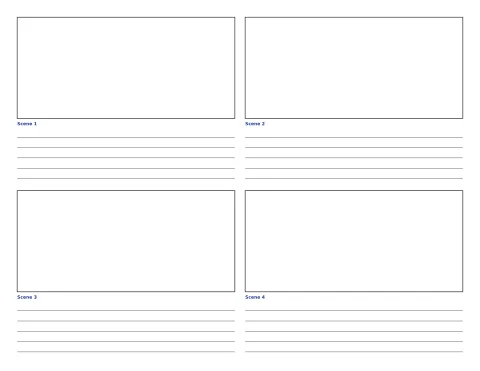
Preview of page 1. 279.4 mm × 215.9 mm. Print at 100% (“Actual size”) to keep the spacing exact.
Tips for this setting
- Use four frames for key moments only: opening, conflict, climax and ending.
- Write the shot type, camera move and timing on the lines below each frame.
- The frames are never taller than a 16:9 widescreen shape, so compositions translate directly to video.
- For long sequences, switch to 6 or 8 frames per page and keep this layout for key art and the shots you will show to others first.
Film and media students plan short assignments on it, marketing teams sketch the key shots of an advert or explainer video, and teachers use it for story planning with younger children who need big frames. Animators use four frames for keyframe thumbnails before boarding a full sequence.
Every option above can still be changed. For the full guide to storyboard sheet, see the storyboard sheet page.
Settings on this page
| Setting | Value | Set by |
|---|---|---|
| Paper size | US Letter in the US and Canada, A4 everywhere else (from your browser language) | Storyboard sheet default |
| Orientation | Landscape | Storyboard sheet default |
| Margin | 10 mm (0.394 in) on every side | Storyboard sheet default |
| Frames per page | 4 | This preset |
| Line weight | 0.20 mm | Storyboard sheet default |
This page changes the frames per page from the standard storyboard sheet settings. Paper size, orientation and margin sit in the Paper panel of the generator; the other settings are in the Storyboard sheet panel. The address bar updates as you change them, so you can bookmark or share your own version.
Printing it at the right size
US Letter is 215.9 × 279.4 mm and A4 is 210 × 297 mm. Choose the size that is in your printer under Size before you download, because a print dialog that fits a Letter page onto A4 scales it to about 97%, and A4 onto Letter to about 94%.
This storyboard sheet preset does not depend on an exact measurement the way ruled or graph paper does, but printing at "Actual size" or 100% keeps the 10 mm margin even on all four sides.
This preset prints in landscape. The PDF pages are already turned, so leave the printer on automatic orientation and check the preview before you print a stack.
Questions
Why choose 4 frames per page?
Large frames leave room for detail, so the drawing can show composition, characters and props clearly. That helps when presenting to a client or class, because viewers can understand each shot without explanation.
What aspect ratio are the frames?
The frames follow a widescreen 16:9 proportion, or a slightly flatter one when the page is short, matching most modern video formats.
What should be included in a storyboard?
Each frame shows a sketch of the shot, and the lines below hold the scene number, the shot type (wide, medium or close up), camera movement, dialogue or sound and the planned duration. Stick figures are fine: the goal is to show composition and order, not finished art.