RuledPaper
Free printable · preset
Printable 14 Count Cross-Stitch Graph Paper
This chart has 14 squares per inch, the same as 14 count Aida, so each square is about 1.81 mm. Printed at 100%, a design drawn on it is the exact size it will be when stitched on 14 count fabric, one of the most widely used counts. The page opens the generator at 14 per inch with a bold line and number every 10 squares, and you can still change the square size and colors.
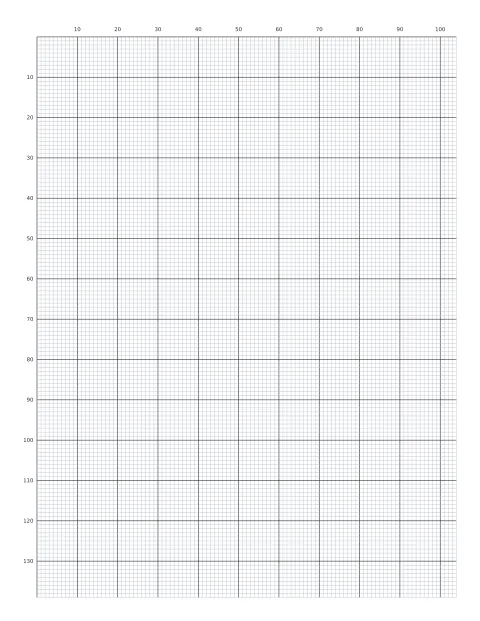
Preview of page 1. 215.9 mm × 279.4 mm. Print at 100% (“Actual size”) to keep the spacing exact.
Tips for this setting
- Use this true scale chart to preview how large a finished piece will be before buying fabric.
- If the small squares are hard to read while stitching, print a working copy at 10 per inch and keep this one for sizing.
- Work out the finished size by dividing the stitch count by 14: 70 stitches make 5 inches.
- Mark the center of the design with a pencil line at the middle row and column before you start.
Designers chart original patterns at true 14 count size to judge how a motif will look on the fabric, and stitchers redraw patterns from books or photos to resize them. Textile teachers also use it to plan simple samplers with names, dates and borders.
Every option above can still be changed. For the full guide to cross-stitch chart, see the cross-stitch chart page.
Settings on this page
| Setting | Value | Set by |
|---|---|---|
| Paper size | US Letter in the US and Canada, A4 everywhere else (from your browser language) | Cross-stitch chart default |
| Orientation | Portrait | Cross-stitch chart default |
| Margin | 10 mm (0.394 in) on every side | Cross-stitch chart default |
| Square size | 1.81 mm (0.071 in) | This preset |
| Line weight | 0.12 mm | Cross-stitch chart default |
This page changes the square size from the standard cross-stitch chart settings. Paper size, orientation and margin sit in the Paper panel of the generator; the other settings are in the Cross-stitch chart panel. The address bar updates as you change them, so you can bookmark or share your own version.
Inside the margins this fits 104 × 139 stitches on US Letter and 101 × 149 stitches on A4.
Printing it at the right size
US Letter is 215.9 × 279.4 mm and A4 is 210 × 297 mm. Choose the size that is in your printer under Size before you download, because a print dialog that fits a Letter page onto A4 scales it to about 97%, and A4 onto Letter to about 94%.
Exact size matters here. If a print dialog fits A4 onto US Letter (about 94%), the square size of 1.81 mm prints as 1.71 mm. Choose "Actual size" or "Scale 100%", then check one measurement on the printout with a ruler.
Questions
How many stitches per inch is 14 count?
14 count fabric has 14 squares, and so 14 cross stitches, per linear inch. Each stitch is about 1.8 mm across.
Is 14 count good for beginners?
It is a widely used count with holes that are easy to see. If you find them too small, a lower count such as 11 gives larger stitches.
How do I turn a picture into a cross stitch pattern by hand?
Trace the outline onto the printed grid, then fill each square with the color that covers most of it. Use one symbol or pencil color per thread color and keep a key at the side. Reducing the picture to a few colors makes the pattern much easier to stitch.